Last lesson: Oct 2
MA
For private tutors
Tuboard is a web app for tutors who find their own students. Every student gets a workspace where their PDFs, notes, videos and boards are stored by topic, and the lesson happens right there: the student opens a link, types their name and writes on the same board as you. Your call stays in Zoom or Meet.
Updated
Lessons, materials and progress for every student in one place.
Marketplaces like Preply or MyTutor come with their own classroom, and you teach inside it on their terms. If you find your own students, you need four smaller things instead, and most tutors glue them together from a call, a messenger, a drive and a whiteboard.
Worksheets, past papers, notes and videos, kept per student and per topic.
A link and a name. A teenager joining 30 seconds before the lesson will not register anywhere.
Somewhere you both write, with the textbook page open next to it.
Open the student and carry on, without searching a chat for the file.
Each student or group has a workspace, split into topics. A topic holds what its lessons used: boards, notes with formulas, PDFs, Word documents, images, audio and video files up to 50 MB each, and links to YouTube or Google Docs. Next week you open the student and the topic, and everything is where you left it.
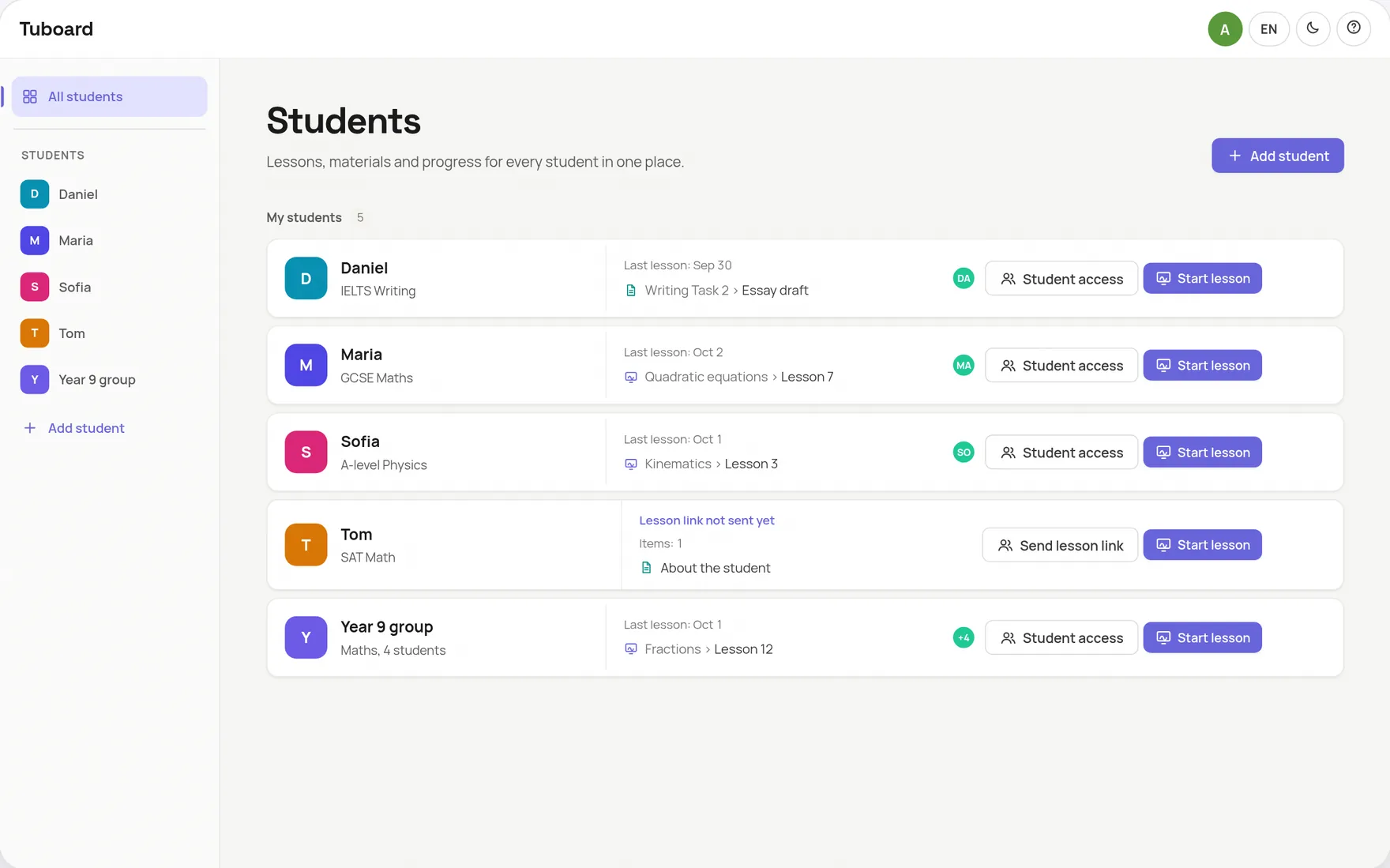
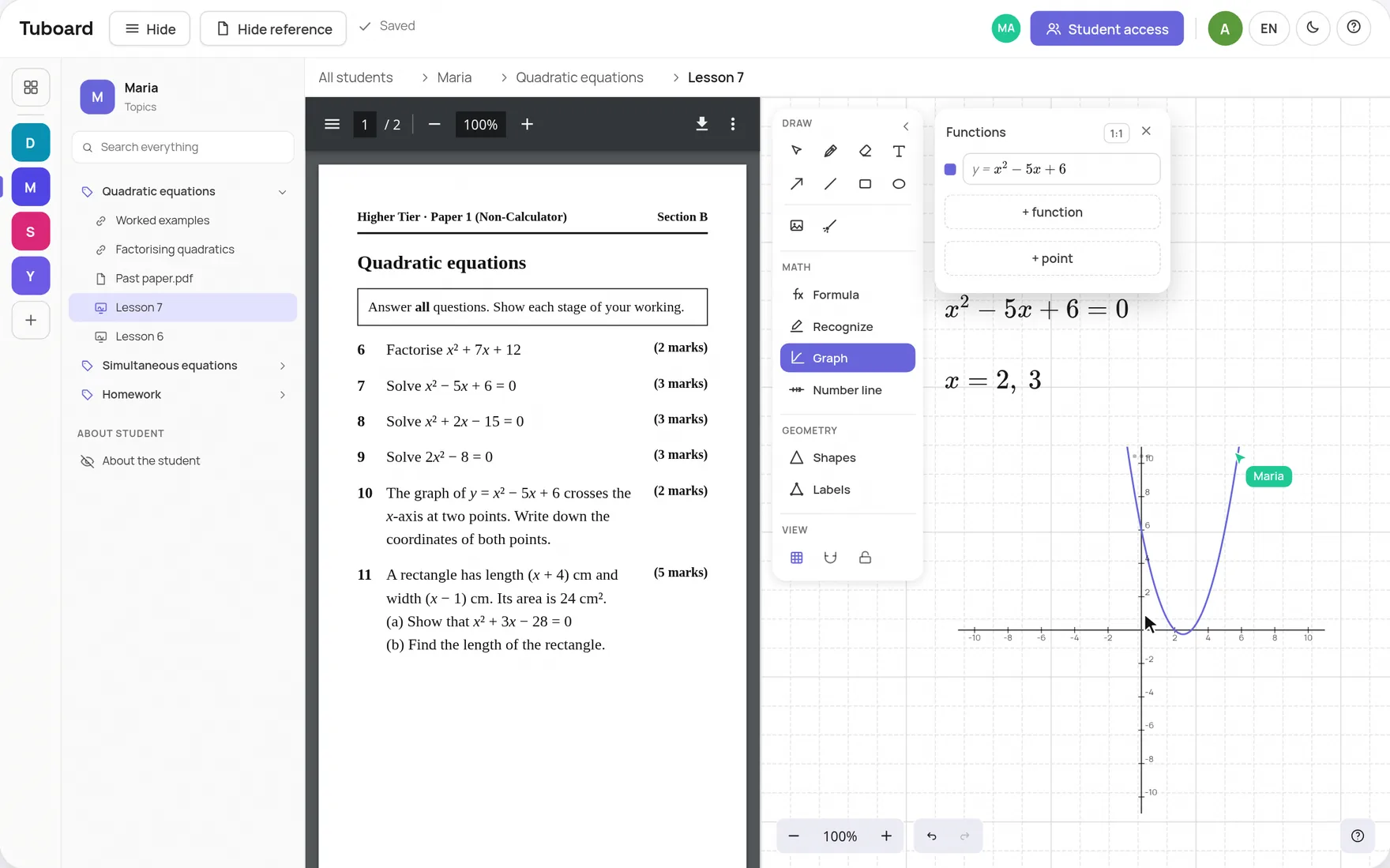
You press Send lesson link and paste it into the Zoom chat, WhatsApp or an email. Your student opens it, types their name and is in the workspace with you. The past paper opens beside the board, and you both write on the board live. When the call ends, the board is already in the student's topic.
It does one job, the materials and the lesson. For the rest, keep the tools you already use.
Keep Zoom, Google Meet or Teams. Tuboard opens beside it.
Bookings and payments stay in TutorBird, Teachworks or your calendar.
It does not find you students or take a cut of your fees.
There are no marks or assignment deadlines.
It depends on what you are missing. To find students, use a marketplace. For bookings and invoices, use tutoring business software. To keep each student's materials and teach the lesson in one place beside your Zoom or Meet call, that is what Tuboard is for.
No. Tuboard does not find students and takes no commission. It is for tutors who already have their own students.
No. They open your link and type their name, and that is all. Signing in with Google is optional, for a student who wants to open the workspace from another device.
PDFs, Word documents, images, audio and video files up to 50 MB each, links such as YouTube videos and Google Docs, plus the notes and boards you make in Tuboard. Files are stored once you sign in with Google.
Nothing while Tuboard is in beta. A free account can create and edit 3 workspaces. Tutor Pro is planned at about $10 a month and is not open yet.
Create a workspace, add the next topic and send the link. It takes a couple of minutes.
How it works from the inside.
One workspace per student or group, sorted by topic, with the lesson inside it.
ExploreA PDF beside the board, formulas, graphs and labelled figures. The board lives in the student's topic.
ExploreFractions, roots, integrals and matrices from the keyboard. No LaTeX required.
ExploreWhy general documents and whiteboards do not carry maths in a lesson.
ExploreGuides and comparisons.
Drive, Notion, Dropbox, a messenger or a workspace per student, compared.
ExploreOne link per student instead of attachments, homework included.
ExploreWhat it does well, and a simpler option where students need no account.
ExploreWhat a tutor template does, and where the lesson falls out of it.
ExploreA one-to-one setup that keeps the student writing, not watching.
ExploreEssays in one document, workbooks, videos and listening in the topic.
Explore