Student workspace
The student workspace: lesson materials in one place
A month in, neither you nor your student can find anything. The workspace removes the cause: the work gets a place of its own and stops spreading across services.
Why materials spread across the chat
A messenger is fine for the first three lessons. After that it becomes an archive you cannot search: the homework is further up the thread, the board is on another service, the textbook was sent back in September. The expensive part is not the file, it is the minutes at the start of every lesson while you look for it.
Homework sinks into the thread
A month later nobody remembers which task you set or whether it came back.
Versions multiply
"Essay_2", "Essay_2_final". You open one at random and hope it is the right one.
The board lives elsewhere
The canvas stays on another service and a screenshot of it lands in the chat.
The textbook is somewhere else
The PDF was sent once, long ago, and gets hunted down again every time.
A folder for every student and group
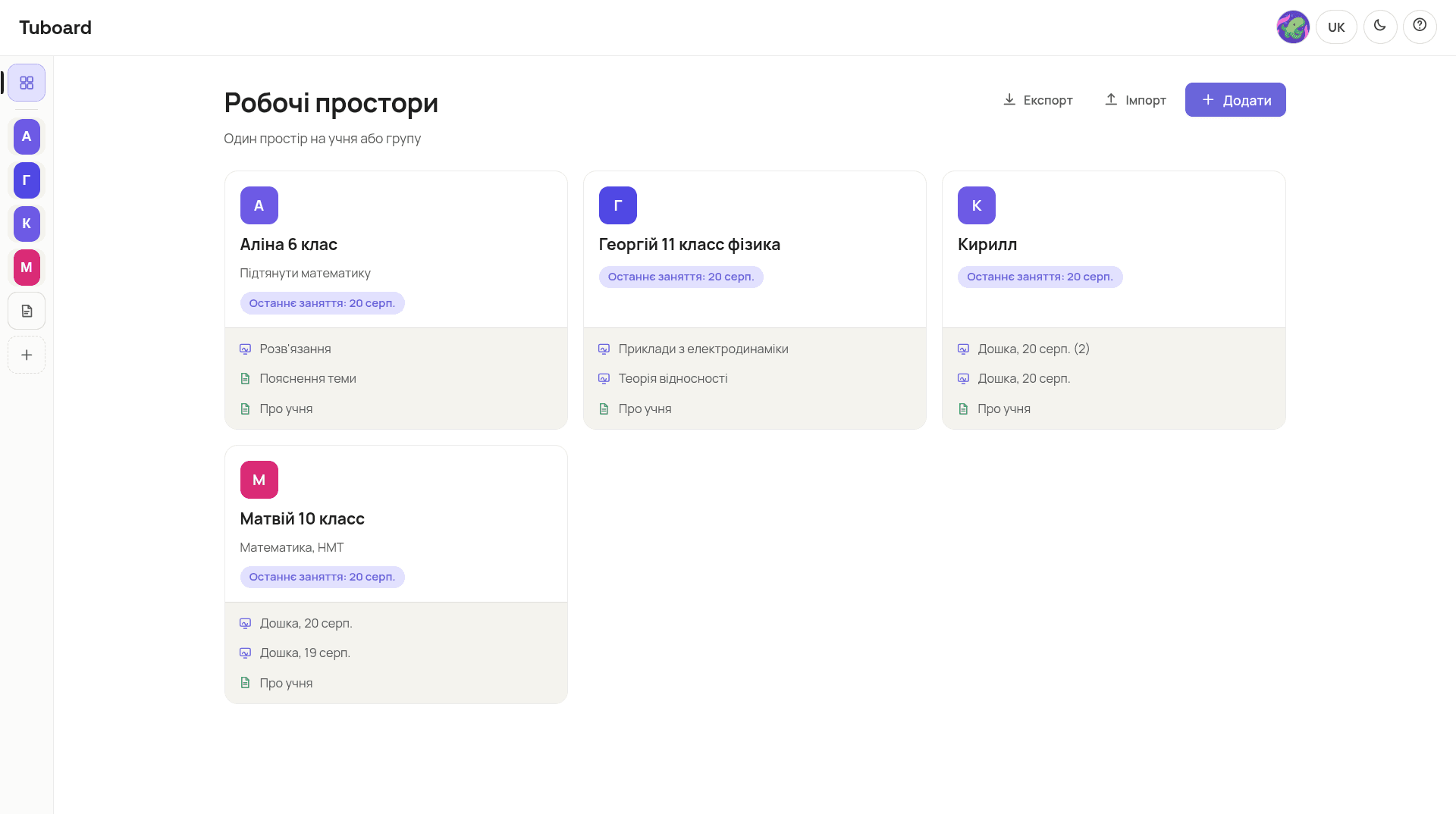
You open Tuboard and see a list of people rather than a list of files. Alina, Georgiy, Matviy. The card already carries the date of the last lesson and what you did in it, so you can tell where you stopped without opening anything.
- One workspace per student or per whole group
- The last lesson date shows on the card
- Different students' materials never mix
Inside: topics, boards and homework
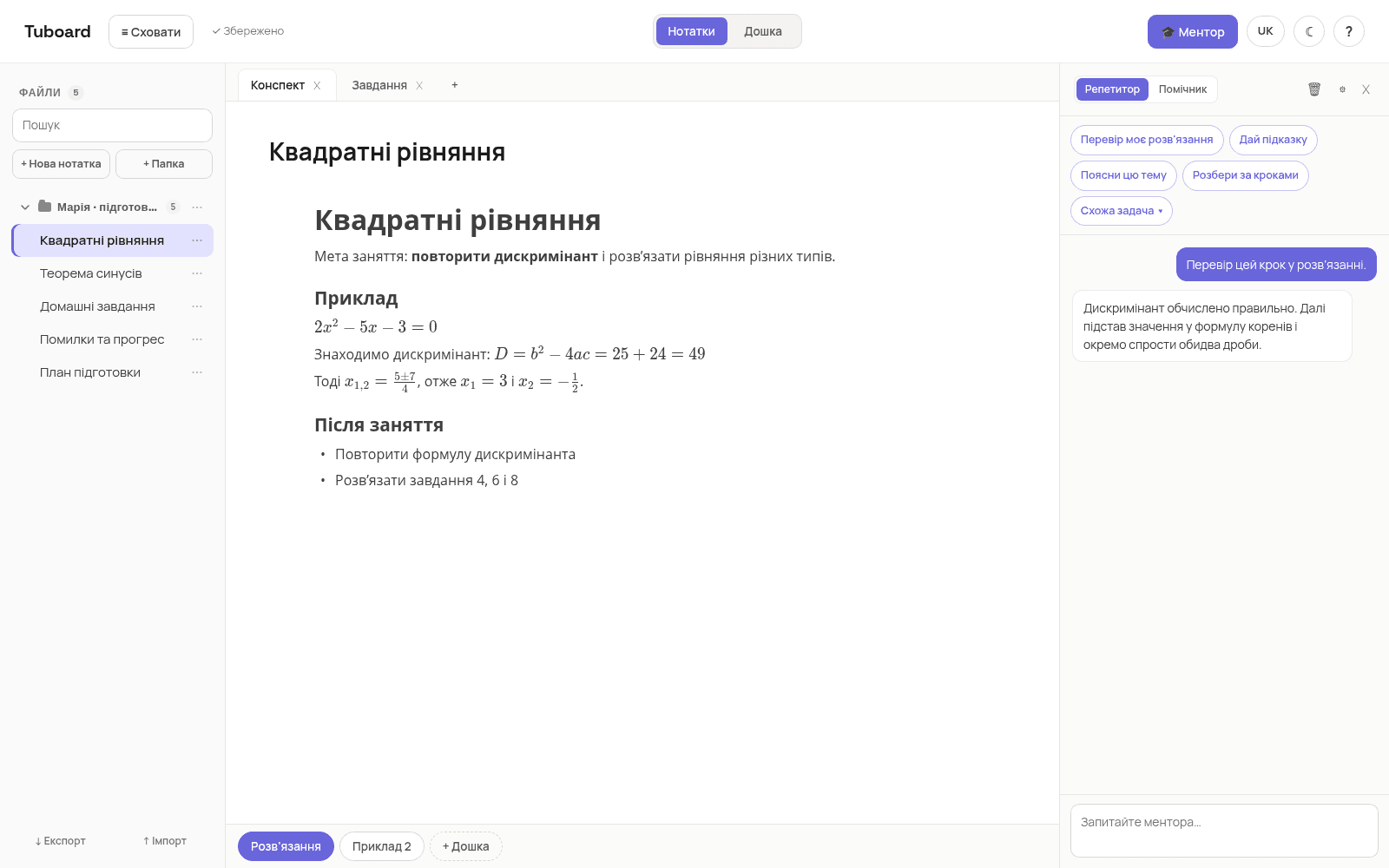
A workspace is split into topics rather than files. "Quadratic equations", "The law of sines", "Homework", "Mistakes and progress". The note and the boards from one lesson sit in the same topic, so next time you open it and carry straight on.
- The lesson's note and boards in one topic
- The textbook and files sit next to them, not in a chat
- A topic of its own for homework and for mistakes
The student joins by link
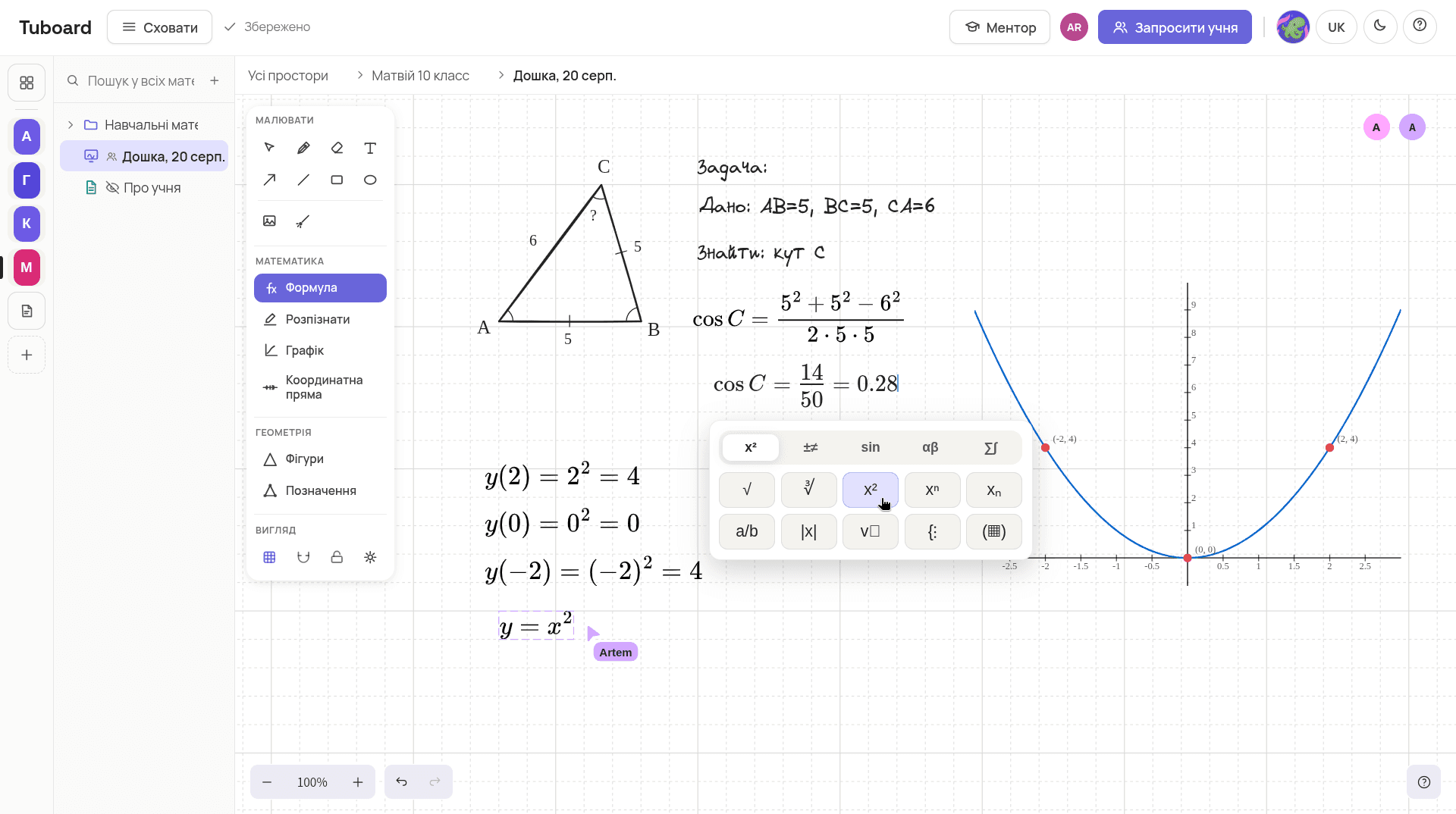
You send a link to the workspace, the student signs in with Google and lands straight in the right topic. There is no separate Tuboard registration. If you teach a group, everyone gets the link and they all write on the same canvas.
- No separate signup: sign-in with Google
- One link for a single student or a whole group
- Editing or view-only is your call
Common questions
The short answers.
How many workspaces can I create?
As many as you like during beta. One per student, one per group, one for your own materials. There are no limits right now.
Can I run a group in one workspace?
Yes. You send the link to each student and they all work in the same workspace. You decide who can edit and who only watches.
Can a student see other students' workspaces?
No. A student opens only the workspace you sent them a link to. The rest stays yours.
What happens if a student leaves?
The workspace stays with you along with everything in it. You can revoke the link and save the contents to a file with export.
Can I move over what has already piled up?
Files and PDFs drag straight into the right topic. There is no automatic import from a messenger, so moving it is manual, but only once.
Start with one student.
Create a workspace, put the next topic in it and send the link. One lesson is enough to tell.
In more detail
How it works from the inside.
Three pages: what sits in a student's workspace, how formulas get typed, and why general boards do not carry math.