Formulas
Type math formulas online, from the keyboard, no LaTeX
A formula should not break the flow of a lesson. In Tuboard you type it like ordinary text: press M, type, move on. Neither you nor your student has to learn any markup.
How to type a formula online
Press M on the board or Ctrl+M inside a note and click where you want to write. A field opens with the symbol palette next to it. A fraction, a root or a matrix goes in with one tap and arrives empty: Tab jumps between the slots left to fill.
- M for a formula on the board, Ctrl+M inside text
- Tab between empty slots
- The palette follows the cursor instead of hiding in a corner
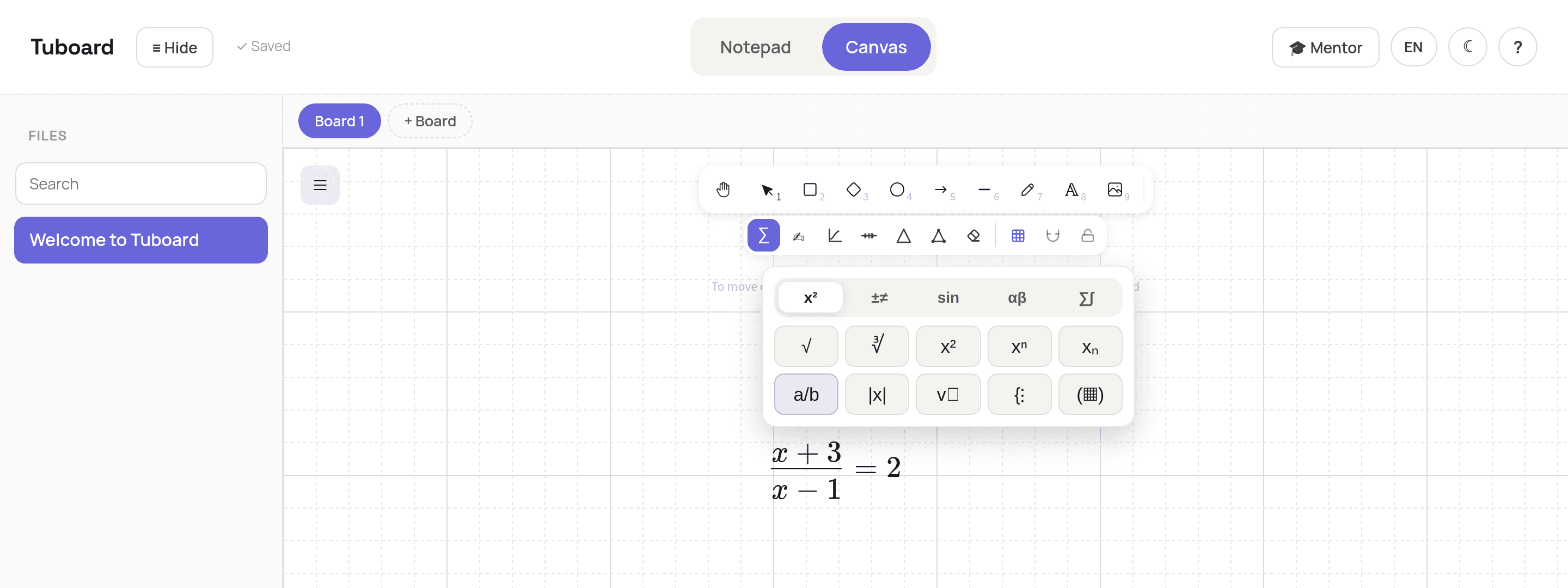
Fractions, powers, roots and matrices
Everything you would normally look up in a LaTeX reference sits in the palette: powers and indices, roots, absolute value, systems of equations, matrices, Greek letters, inequality signs. If you do know LaTeX, type it: that works too.
- Systems and matrices come as ready templates
- Greek letters and signs without a search engine
- LaTeX works, but is never required
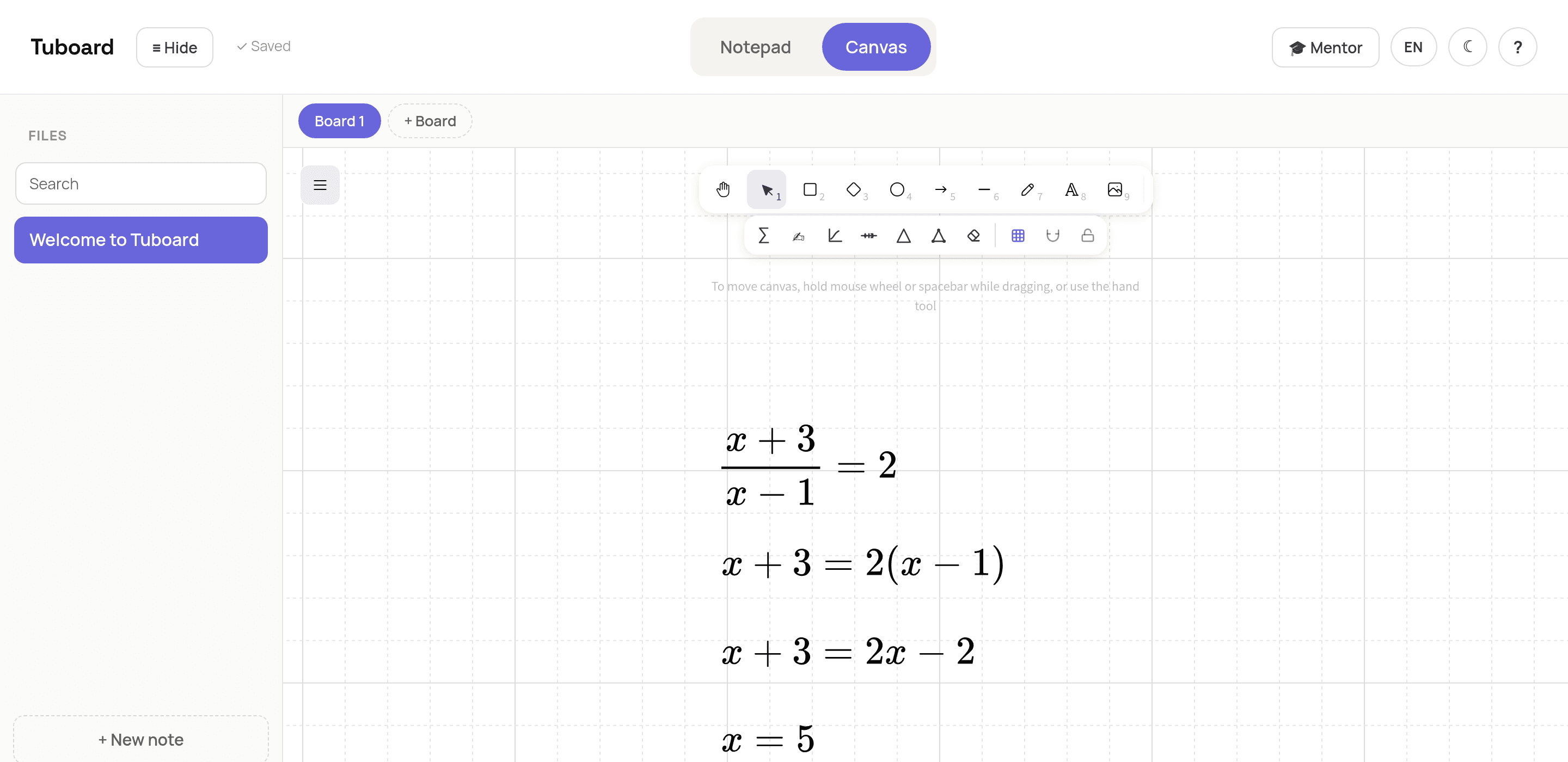
The solution grows downward, line by line
Enter commits the line to the board and opens the next one just below it. You get a column of steps, the way a notebook looks, and each line can be moved or edited on its own afterwards. For a break inside one formula, use Shift+Enter.
- Enter: the next line of the solution
- Shift+Enter: a break inside one formula
- Every step stays separately editable
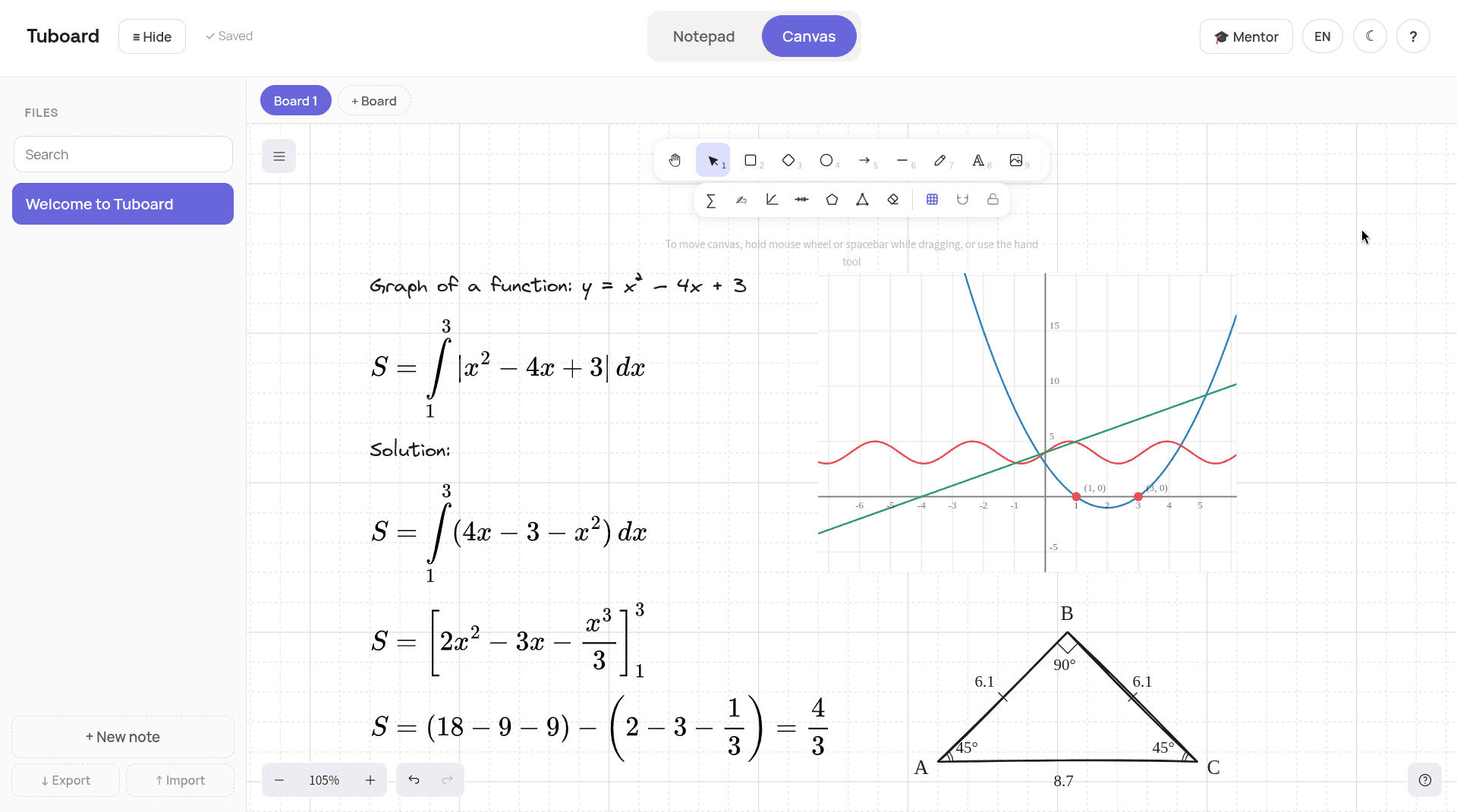
If handwriting is faster
Write the formula by hand, with a stylus or the mouse, select it with a frame and press Shift+M. Tuboard reads what you wrote and puts a typed formula next to it. If it reads something wrong, fix it once: next time it accounts for your handwriting.
Shift+M
Frame what you wrote and a typed formula lands beside it.
It learns from corrections
Fix a misread once and it remembers your handwriting after that.
Then from the keyboard
A recognised formula edits like any other, palette included.
Line by line
It reads a column of steps, not one flat picture.
Common questions
The short answers.
Do I need to know LaTeX?
No. Press M and type from the keyboard: the symbols sit in the palette next to you and Tab moves through the empty slots. LaTeX works too if you prefer it.
Can my student type formulas the same way?
Yes, it is the same palette. Showing them M and Tab once at the start of a lesson is usually enough.
Can I put a formula inside a sentence?
Yes. Press Ctrl+M in a note and the formula sits inline with the words. For longer derivations there is a Solution block where Enter adds the next step.
Does it work on a phone?
Tuboard opens in a browser, but it is built around a keyboard: it is much easier to use on a computer.
Where are the formulas stored?
In the workspace of the student you wrote them with. They sit in your browser until you sign in, and sync to your account after that.
The fastest way is to try it.
Open a board, press M and type any fraction. It takes about ten seconds.
In more detail
How it works from the inside.
Three pages: what sits in a student's workspace, how formulas get typed, and why general boards do not carry math.