Skip to content

Guide for maths tutors

How to teach maths online, one to one

Online maths tutoring works when the student writes, not just watches. You need four things: a video call, a shared board with real maths on it, the past paper or textbook open beside the board, and somewhere the work stays for next week. Here is a setup that covers all four with the call you already use and one link.

Updated

A lesson in Tuboard with a textbook PDF open beside the board. The tutor takes an exercise from the page and types it as a fraction from the symbol palette, the student types the answer on the same board, both sides of the equation are plotted as a graph next to the working, and a triangle is drawn with its corners already labelled.

The setup in four parts

None of this needs new hardware. A laptop with a keyboard covers it, and a stylus helps if you like to draw.

The call

Zoom, Google Meet or Teams, whatever your student already has.

A board you both write on

Sent as a link, not shown on a screen share.

The paper beside the board

The past paper or textbook page open next to the working.

A place the work stays

The board ends up in the student's topic, not in a screenshot.
Writing maths on screen

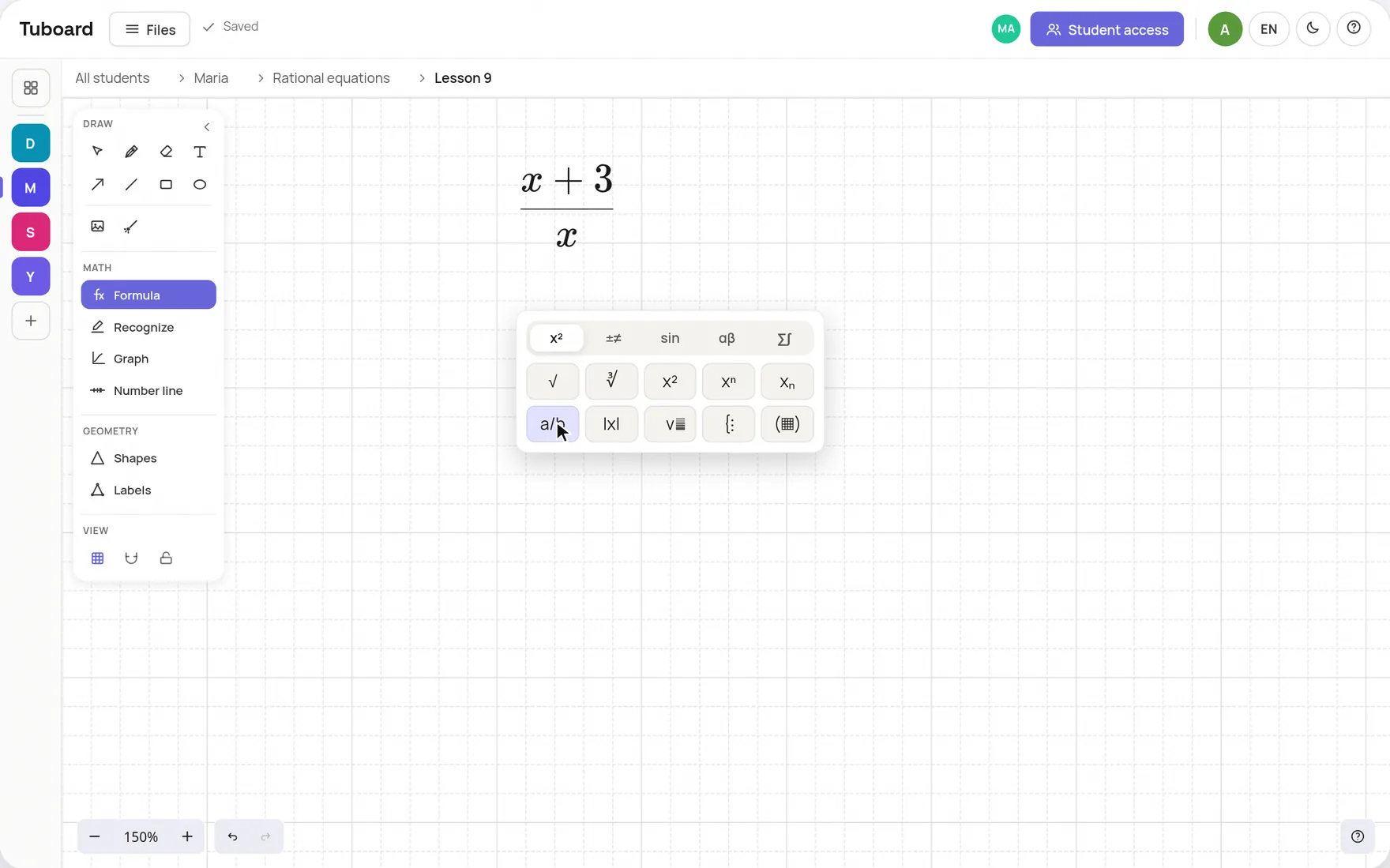
There are three ways to get maths onto the board, and most lessons mix them. Type a formula from the palette: press M, tap a fraction or a root, Tab through the slots, Enter for the next line. Write by hand with a mouse, a drawing tablet or a stylus. Or drop in a photo of the student's working from paper and talk through it.

  • Formulas from the keyboard, LaTeX optional
  • The pen for handwriting and quick sketches
  • Photos of paper working, with the laser to point
The Tuboard formula field with its symbol palette open: a fraction with x+3 on top being typed after a tap on the a/b button

Get the student writing, not dictating

On a screen share the student watches and dictates while you write. Send a link instead: the student opens the board in their own browser, types their name and writes the next line of the solution themselves. You see their mistake as they make it, which is the point of a lesson.

  • A link instead of a screen share
  • The student types the next line
  • View only when you want them to just follow
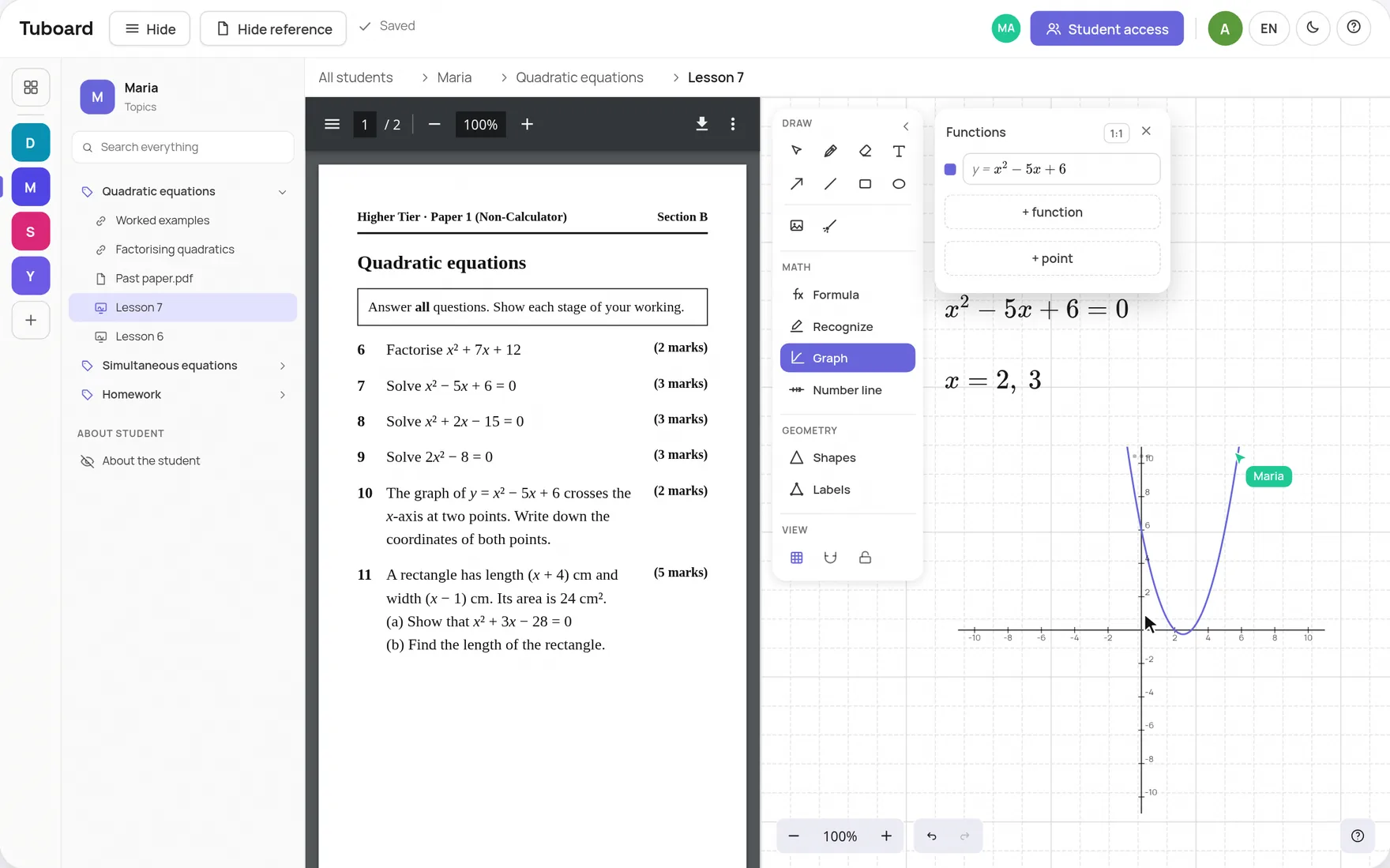
A lesson in Tuboard: a past paper on quadratic equations open on the left, and on the right the board with x² − 5x + 6 = 0 solved and plotted, with Maria's cursor on the same board

Graphs, number lines and geometry

The diagrams a maths lesson needs go on the board in one click and stay editable.

Function graphs

Type x^2 or sin(x) and add points. Several functions on one set of axes.

Number lines

Intervals with open and closed ends, for inequalities.

Labelled figures

Triangles and polygons with vertices, sides and angles labelled.

The task and a laser

Drop in a photo of the problem and point at the step you mean.

After the lesson

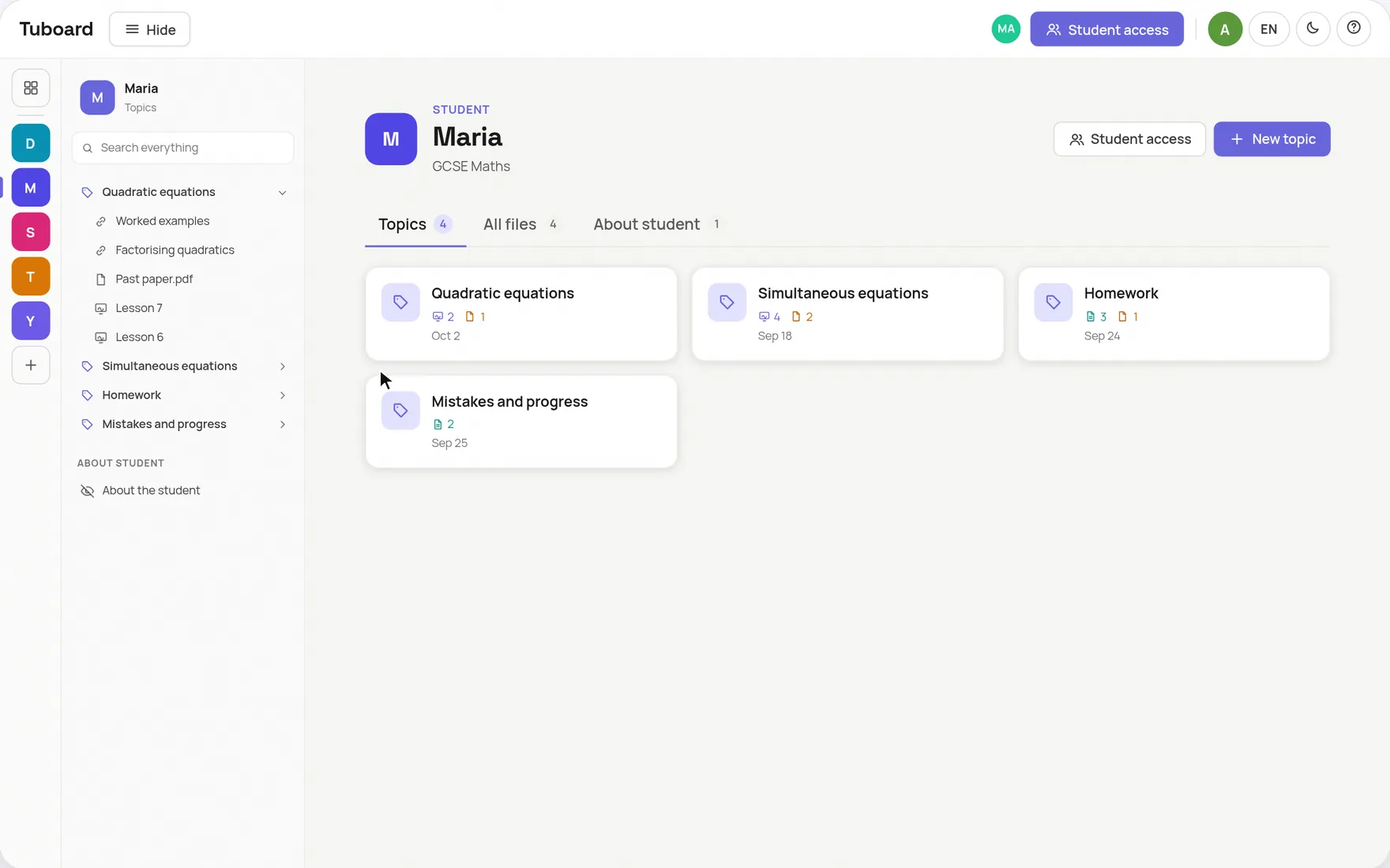
End the call and the board stays in the student's topic, next to the past paper and any notes. Put the homework in its own topic, and keep a topic for repeated mistakes, so before the mock exam you can open it and see the pattern.

  • The board stays in the student's topic
  • A topic for homework
  • A topic for mistakes, to review before exams
A student's workspace in Tuboard: Maria's topics as cards (quadratic equations, simultaneous equations, homework, mistakes and progress), each showing how many boards, documents and files it holds

The short answers.

What do I need to tutor maths online?

A video call, a shared whiteboard both of you can write on, the past paper or textbook open beside it, and a place where each student's work is kept. A laptop is enough.

Do I need a drawing tablet?

No. Formulas go in from the keyboard. A tablet or stylus helps for handwriting and diagrams, and it works with the pen tool.

How do online maths tutors write on screen?

Usually on a shared whiteboard, by typing formulas, writing with a pen or stylus, or both. In Tuboard you press M for a formula and use the pen for anything handwritten.

Can the student see the past paper during the lesson?

Yes. The PDF opens beside the board, so you both look at the question and work on the board next to it.

Which whiteboard is best for maths tutoring?

Check four things: formulas typed from the keyboard, editable function graphs, labelled figures, and the paper open beside the board. Our comparison of six whiteboards for tutoring goes through each one.

Try the setup on your next lesson.

Open a board, type the first question from the paper and send your student the link.