Skip to content

English and IELTS

A workspace for English and IELTS tutors

An English lesson sends as many files as a maths one: an essay on its fourth version, a workbook, a listening track, a video. In Tuboard each student has a workspace sorted by topic, the essay is one document you both write in, and the lesson happens there. The maths tools simply stay out of your way.

Updated

An IELTS writing lesson in Tuboard. One topic holds the essay draft, the writing workbook PDF and two YouTube videos. The student types the essay, the tutor answers in the same document, then the workbook and a video open inside the topic.

Why language lessons end up in a chat

Writing practice is the worst case. The student sends Writing 2, you send back Writing 2 with corrections, they send writing2 FINAL, and the workbook PDF from the first lesson is somewhere above all of it.

  • Every correction is a new file
  • Listening tracks and videos get re-sent
  • Nobody can find the workbook by week three
A week of messages between a tutor and a student: a workbook PDF, four versions of the same essay file and two messages about rescheduling, ending with the student asking where the workbook is. Then the same files in Tuboard: one topic with the workbook and a single essay document in it.

One essay, one document

The student writes the essay in a document inside the topic. You read it and answer in the same text, live in the lesson or later. There is one version, and it is always the current one.

One document per essay

No v2, v3 or FINAL. The student and you edit the same text.

Written together

You see the student's sentences as they type them.

A topic per task type

Writing Task 1, Writing Task 2, Speaking Part 2.

Last week's essay next to this one

Open the topic and compare before you start.

Workbooks, videos and listening in the topic

The workbook opens inside the topic, YouTube videos play there, and an audio file plays for both of you at once: when one of you pauses or skips, it pauses or skips for the other too.

Workbooks and Word files

PDFs open in the topic. A .docx shows as text, and the exact file downloads.

YouTube inside the topic

The video plays where the lesson is, not in another tab.

Listening together

Upload a track and it plays, pauses and skips for both of you.

Links to anything else

Quizzes, Google Docs and articles sit beside the materials.

The student joins by link

You send one link per student. They open it, type their name and are in the workspace, with no account and nothing to install. Your call stays in Zoom or Meet.

  • A link and a name, nothing else
  • One workspace per student or group
  • The call stays in Zoom or Meet
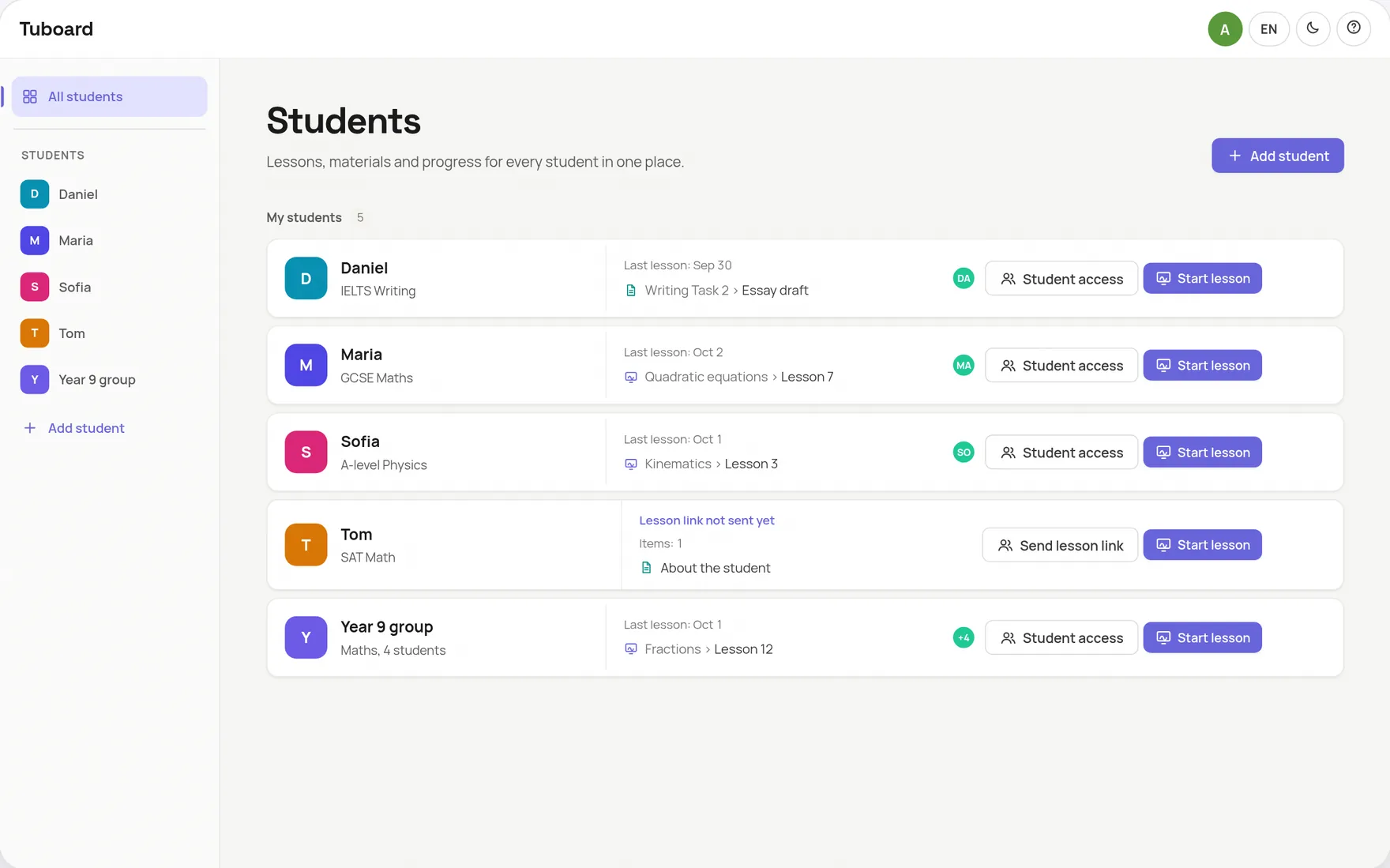
The Tuboard overview: one row each for Daniel, Maria, Sofia, Tom and a Year 9 group, with the date of the last lesson and the last thing opened on every row

The short answers.

Is Tuboard only for maths?

No. The workspace, topics, documents, files and the board work the same for any subject. English and IELTS tutors simply never open the formula palette.

Can my student and I write the essay together?

Yes. The essay is a document in the student's topic, and you both write in it and see each other's changes live.

Can we listen to audio together?

Yes. Upload an audio file to the topic. When one of you plays, pauses or skips, the same happens for the other.

Can I upload Word documents?

Yes. A .docx file shows its text inside Tuboard, and you can download the exact file. Files up to 50 MB each are stored once you sign in.

Does my student need an account?

No. They open the link and type their name, and that is all.

Move one student's essays over.

Create a workspace, add a Writing topic and send the link before your next lesson.