Comparison
A Notion and whiteboard alternative, built for math
Notion, Miro and FigJam are made for text and diagrams. Math is a side quest in all of them, and a student's materials end up assembled by hand out of several services.
Why formulas are awkward in Notion
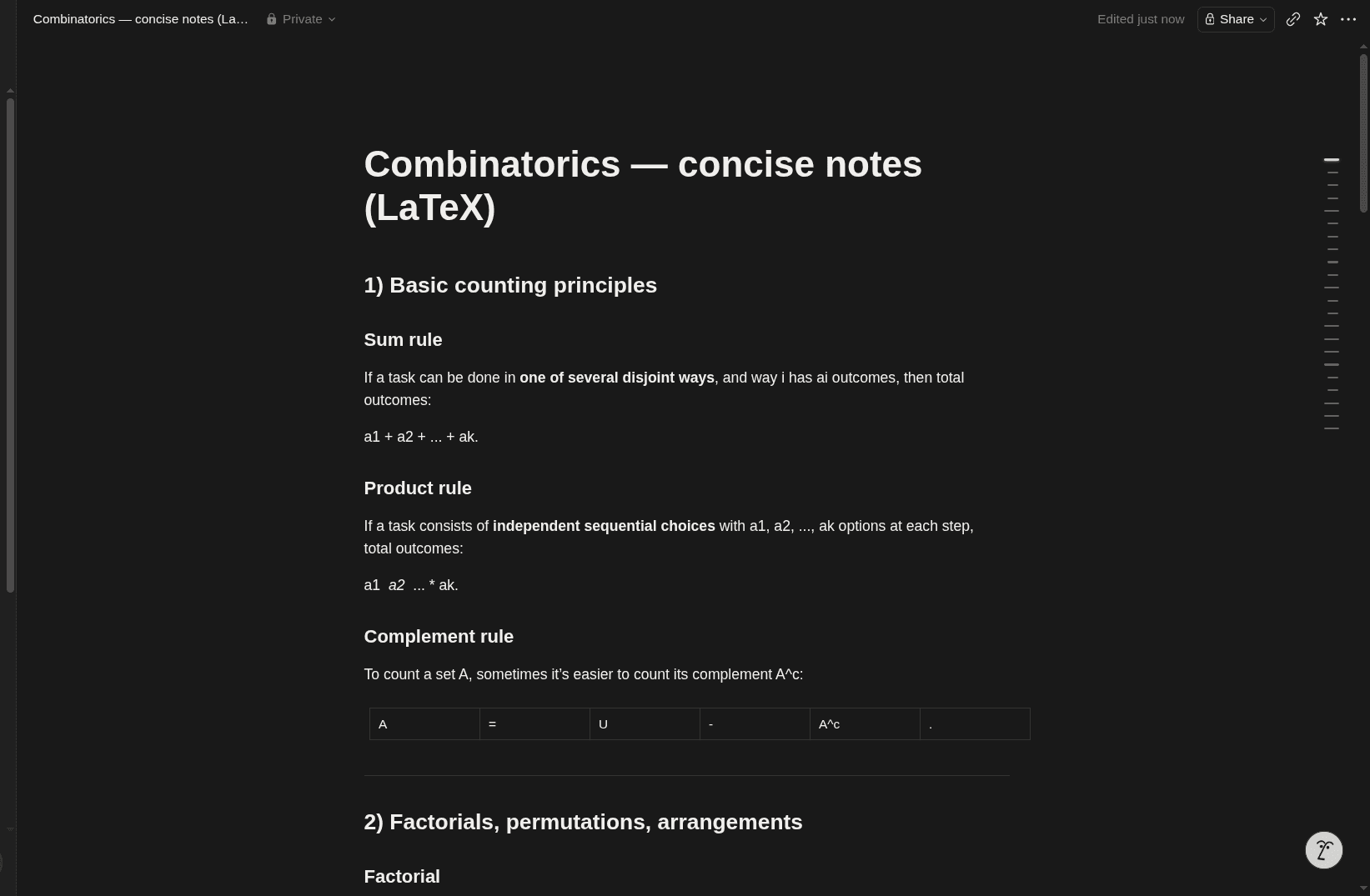
A formula in Notion is a LaTeX block. To get a plain fraction you have to remember \frac{a}{b}, and a root needs \sqrt{}. So a combinatorics note usually ends up looking like this: the sum written as "a1 + a2 + ... + ak", the product scattered into "a1 a2 ... * ak", and the complement formula pushed into a table.
- You have to keep LaTeX in your head
- The formula is edited blind, in a code field
- Plain text is easier to write and loses the meaning
Miro and FigJam: boards, but not for math
They are good at sticky notes and flowcharts. But a formula is not an object there: a power has to be labelled as text and a fraction assembled from a line and two captions. Most of the time it ends in a screenshot from somewhere else.
No formulas
A power gets its own text label and a fraction is a line with two numbers around it.
No function graphs
The curve has to be plotted elsewhere and pasted in as a screenshot.
Handwriting is not read
You can draw it, and it stays a picture.
The canvas stands alone
This student's notes, homework and textbook live somewhere else entirely.
What Tuboard does instead
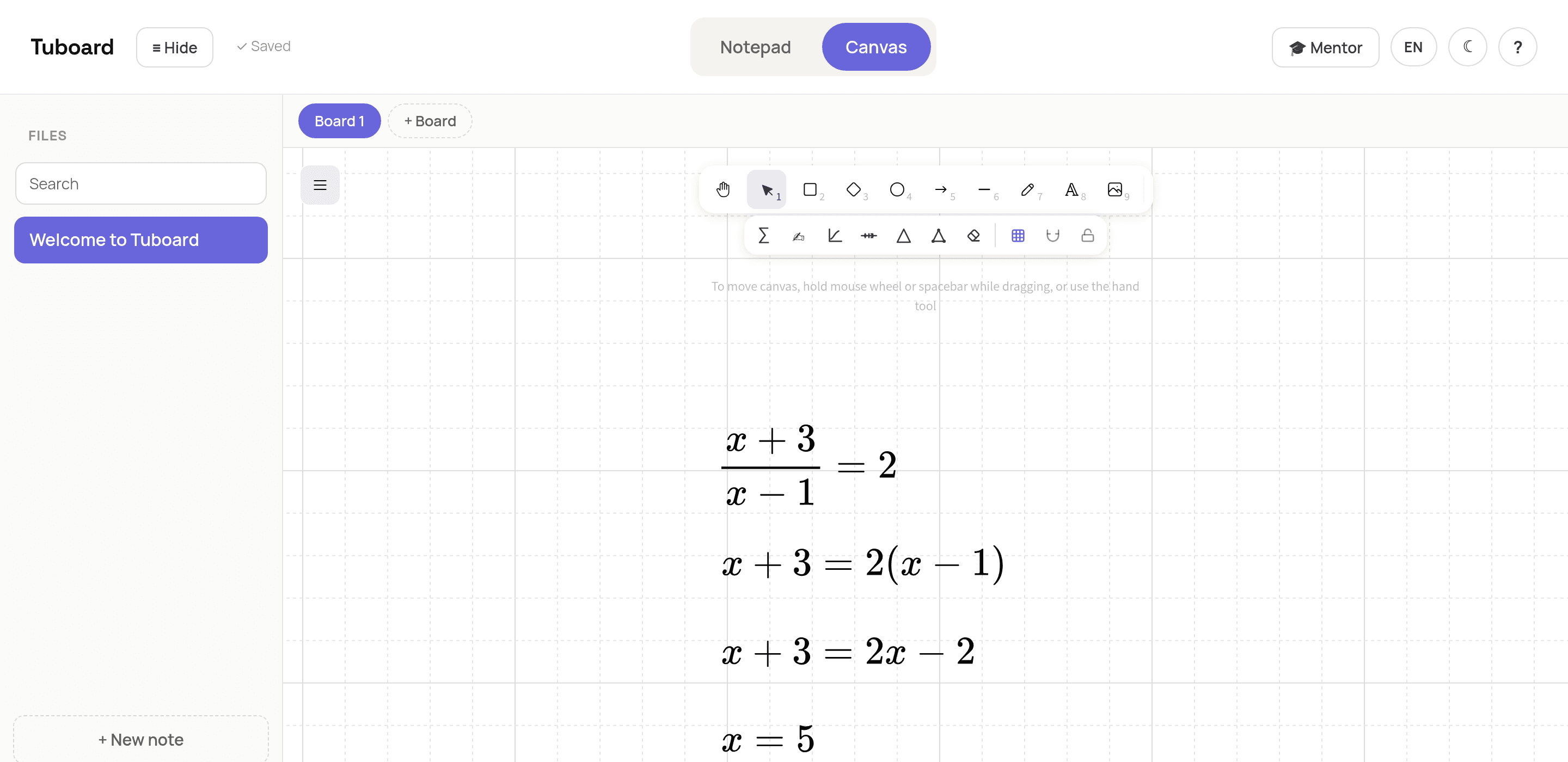
It is the same infinite board, except a formula on it behaves like a real object. Press M and type from the keyboard; Enter commits the line and opens the next one, so the solution grows downward the way it does in a notebook.
- A formula takes seconds, with no LaTeX
- The note from the same lesson sits right beside it
- Function graphs and number lines live on the board
And it keeps the materials together
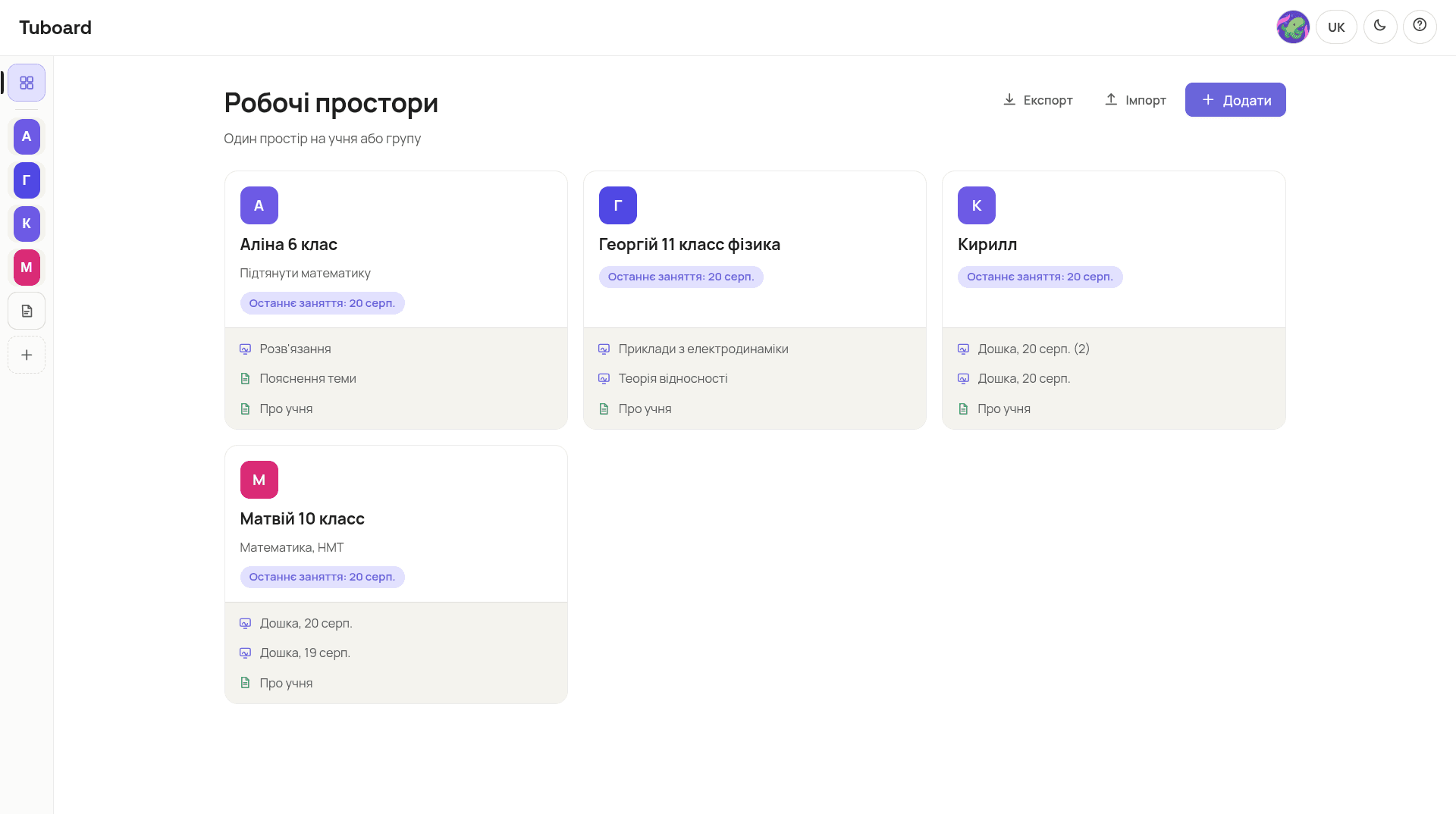
The bigger difference is not the formulas. In Notion and Miro the unit of work is a document or a canvas, so a particular student's history has to be assembled by hand. In Tuboard the unit is the student: boards, notes, the textbook and homework already sit in their workspace.
- One workspace per student or group
- The last lesson date shows on the card
- Nothing to collect from three services
Common questions
The short answers.
Does Tuboard replace Notion entirely?
No, and it does not try to. Notion is for knowledge bases, projects and tables; Tuboard is for lessons: the student workspace, the board, the note and the formulas. If Notion runs everything else for you, keep Tuboard alongside it for teaching.
Can I move my notes over from Notion?
There is no automatic Notion import. Text moves by copy and paste, and formulas are faster to retype: that genuinely takes seconds.
How is this better than Excalidraw?
Excalidraw is a good board in its own right, and Tuboard is built on it. We added what it does not have: formula input, handwriting recognition, function graphs, and the student workspace around the board itself.
What if I already pay for Miro?
Then compare something other than the boards: how long it takes you to find last week's lesson. A Miro board stays a board, and a student's history never appears in it.
What does it cost?
Nothing while Tuboard is in beta. Tutor Pro is planned at UAH 199 a month, and we will publish the limits before payments start.
Try it on your own lesson.
Open a board and type the first formula: it is quicker than finishing this page.
In more detail
How it works from the inside.
Three pages: what sits in a student's workspace, how formulas get typed, and why general boards do not carry math.